Wireless vs Wired Mouse: Which Wins?
A mouse can make your setup feel sharp and responsive – or annoy you every single day. If you are choosing between a wireless vs wired mouse, the right answer depends less on hype and more on how you actually use your PC. Fast shooters, long study sessions, office work, travel, and casual gaming all ask for slightly different things.
A lot of buyers assume wired always means faster and wireless always means more convenient. That used to be mostly true. Now, the gap is much smaller, especially if you are looking at newer gaming mice from recognized brands. Still, there are real trade-offs in latency, charging, weight, cable drag, desk setup, and price. That is where the decision gets easier.
Wireless vs wired mouse: the real difference
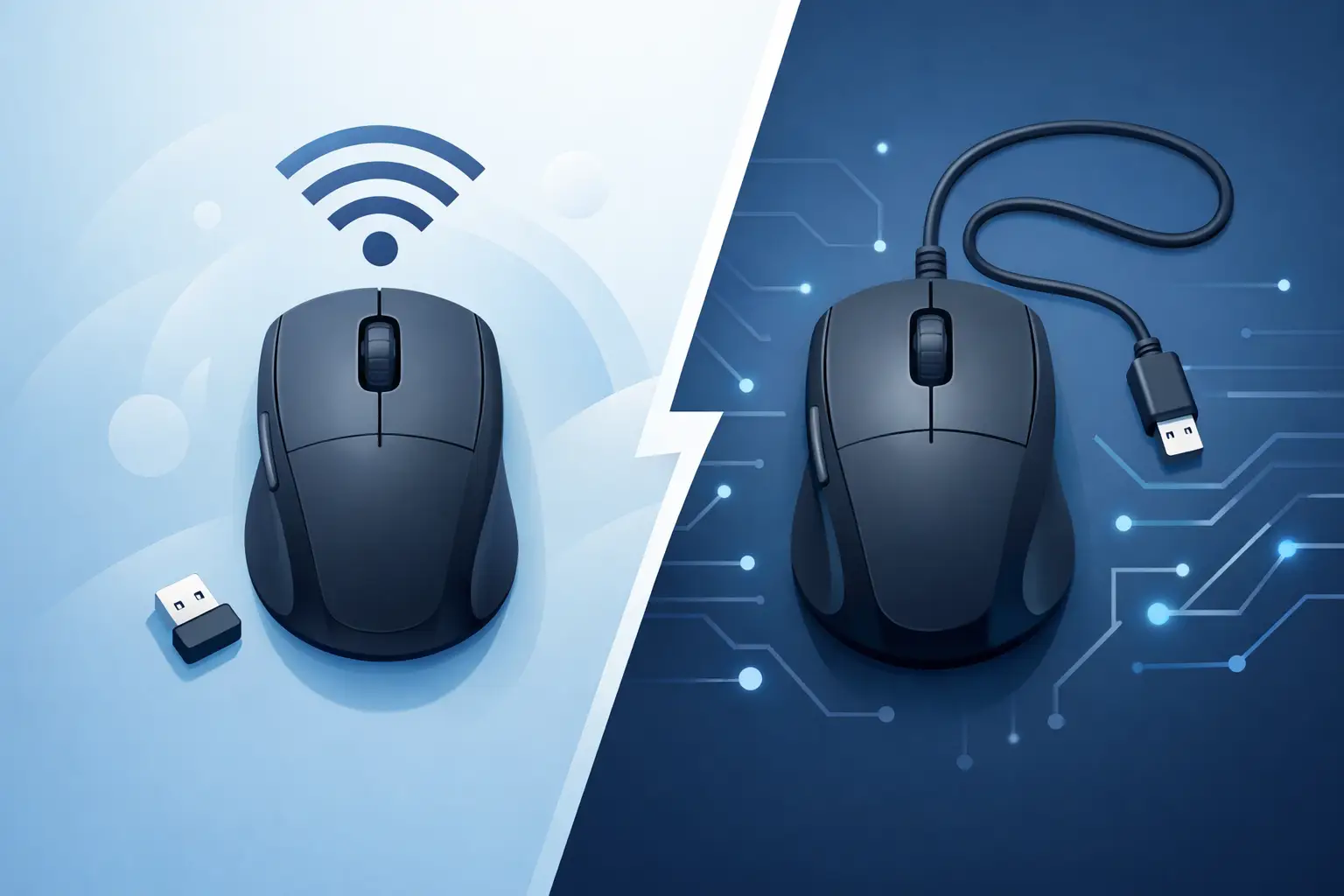
At the basic level, a wired mouse connects directly through a USB cable, while a wireless mouse uses either a USB receiver, Bluetooth, or both. That sounds simple, but the user experience changes a lot depending on your setup.
A wired mouse gives you constant power, no charging, and a direct signal path. For many gamers, that still feels like the safe pick. You plug it in, set your DPI, and play. No battery percentage, no pairing issues, no wondering if you forgot to charge it before a long session.
A wireless mouse removes the cable from the equation. That means cleaner movement, less desk clutter, and more flexibility if you switch between devices or carry your mouse around. For students, remote workers, and people who hate cable friction, that alone can be a major upgrade.
The real question is not which one is better in a vacuum. It is which one fits your play style, work habits, budget, and tolerance for maintenance.
Performance: does wired still have the edge?
If you are shopping for competitive gaming, this is usually the first concern. Years ago, wireless performance was easier to dismiss. Input lag was more noticeable, sensors were less consistent, and battery limits got in the way. That is no longer true across the board.
Modern 2.4GHz wireless gaming mice can feel extremely fast and reliable. For most players, the difference between a good wireless gaming mouse and a good wired one is small enough that comfort and shape matter more. If you mainly play FPS, MOBAs, or battle royale titles, sensor quality, click feel, and weight will affect your aim more than the cable itself.
That said, wired still keeps one practical advantage – consistency without power management. There is no charging cycle, no low-battery warning in the middle of a ranked match, and no risk of performance concerns caused by a neglected battery. If you want a plug-in-and-forget option, wired stays strong.
For esports-focused buyers on a tighter budget, wired also gives you more performance per dollar. A $30 wired mouse often competes very well because more of the cost goes into the sensor and switches, not the wireless tech.
Latency matters, but not equally for everyone
If you are a serious competitive player, tiny differences matter. If you are doing schoolwork, editing documents, browsing, or playing casually, they usually do not. A good wireless mouse is fast enough for everyday use and more than capable for most gaming setups. The concern is not whether wireless works – it does. The concern is whether you want to pay extra for that freedom.
Comfort, cable drag, and desk feel
This is where wireless often wins people over fast. No cable means no resistance pulling against your movement. Even with a good mouse bungee or a soft paracord-style cable, wired mice can still create some drag depending on your desk space and how aggressively you move.
If you play low-sensitivity shooters and swipe across a large mouse pad, wireless feels cleaner. The movement is more open, and your desk setup looks less crowded. That is a big reason so many gamers upgrade.
But comfort is not only about cables. Wireless mice sometimes weigh more because of the battery. Some models solve that well, but not all of them. If you prefer an ultra-light mouse, a wired option may still feel more effortless, especially in budget and mid-range categories.
Shape also matters more than connection type. A mouse that fits your hand poorly will never feel right, wired or wireless. Palm grip, claw grip, and fingertip grip users all need different sizes and contours. Before getting distracted by features, make sure the mouse fits your hand and play style.
Battery life and convenience
Wireless convenience comes with one obvious catch – you have to keep it powered. Depending on the model, battery life can range from a few days to several months. Some rechargeable mice charge with USB-C, some use AA or AAA batteries, and some support dual-mode connections for extra flexibility.
If you hate maintenance, wired is easier. It is always ready. That makes it a smart buy for shared PCs, office setups, or users who just do not want one more thing to remember.
If you do not mind charging once in a while, wireless can feel like the better everyday option. Many users charge overnight or during breaks and never have a problem. Some wireless gaming mice can also be used while plugged in, which reduces the downside.
Bluetooth vs 2.4GHz wireless
Not all wireless mice are built the same. Bluetooth is convenient for laptops and multi-device setups, but it is usually not the first choice for competitive gaming. A 2.4GHz USB receiver tends to deliver better responsiveness and a more stable gaming experience.
For travel, school, and office work, Bluetooth can be very practical because it keeps your USB ports free. For gaming, a dedicated receiver is usually the stronger pick.
Price and value
For buyers who want strong value, the wireless vs wired mouse debate often comes down to budget. Wired mice are usually cheaper at the same performance level. You are not paying for battery systems, wireless chips, or extra engineering.
That makes wired an easy recommendation for budget gaming setups, first-time PC buyers, and anyone trying to improve performance without overspending. If you want solid clicks, a capable sensor, RGB, side buttons, and dependable tracking at a lower price, wired gives you more room to shop smart.
Wireless models typically cost more, especially in gaming categories. Sometimes that premium is worth it. A cleaner desk, easier portability, and freer movement can make your setup feel noticeably better every day. But if you are stretching your budget, that same money might be better spent on a better sensor, a larger mouse pad, or even a headset upgrade.
That is why value is not only about features. It is about what improves your setup the most for the price.
Who should buy wired?
A wired mouse makes the most sense if you care about low cost, zero charging, and straightforward reliability. It is a strong fit for competitive gamers who want consistent performance without battery management, and for students or office users who just want something dependable on day one.
It also works well for desktop setups that stay in one place. If your PC lives on the same desk every day, the cable may not bother you at all. In fact, many users stop noticing it once everything is arranged properly.
If you are shopping around deal pricing, wired can be the sweet spot. You can often get better specs for less money, which is exactly what value-focused buyers want.
Who should buy wireless?
A wireless mouse is a strong pick if you want a cleaner setup, more freedom of movement, and easier portability. It is especially useful for laptop users, multi-device setups, and gamers who dislike cable drag.
If your desk doubles as a work station, gaming station, and study space, wireless keeps things flexible. It is also a smart option if aesthetics matter to you and you want a setup that looks less cluttered.
For many users, wireless simply feels more modern. That does not automatically make it better, but it does make daily use more enjoyable when the mouse is well designed.
The best choice depends on how you play and work
If your priority is pure value, wired is hard to beat. If your priority is convenience and a cleaner feel, wireless is usually worth the extra cost. Neither one is automatically the winner.
For competitive players on a budget, wired remains a safe and smart buy. For mixed-use buyers who game, study, work, and move between devices, wireless often feels like the better long-term fit. And if you are shopping for your next upgrade at Elcomputer Store, the best move is simple – buy the mouse that matches your real setup, not just the trend.
A good mouse should disappear in your hand and let you focus on the screen. When that happens, you made the right choice.