Membrane vs Mechanical Keyboard: Which Wins?
A keyboard can change how your whole setup feels. Whether you are missing a clutch keypress in a ranked match, writing a paper at midnight, or answering emails all day, the membrane vs mechanical keyboard decision affects comfort, sound, speed, and budget. One is not automatically better for every buyer. The right choice is the one that fits how you actually play and work.
Mechanical boards get most of the hype in gaming setups, and for good reason. But membrane keyboards still offer serious value, especially when you want quiet typing, a familiar feel, or more room in the budget for a mouse, headset, or controller. Here is how to choose without paying for features you will not use.
Membrane vs Mechanical Keyboard: The Real Difference
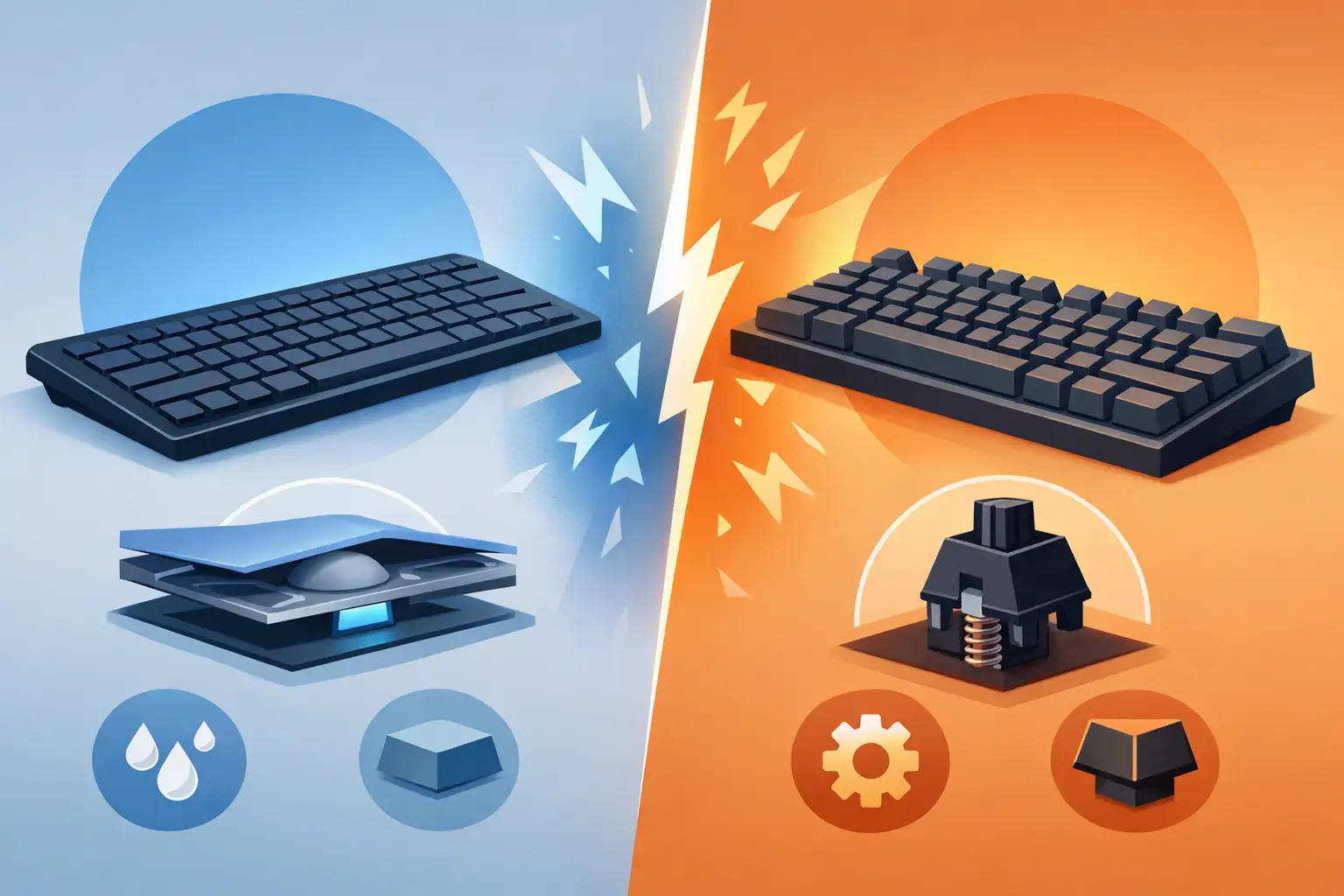
A membrane keyboard uses rubber or silicone layers beneath the keys. When you press a key, it pushes down on a small rubber dome that completes the electrical contact. This design is common in standard office keyboards, laptops, and many affordable gaming models.
A mechanical keyboard gives each key its own individual switch. Those switches contain moving components, usually including a spring and a stem. Because every key has a dedicated mechanism, the press feels more distinct and consistent than a typical rubber dome design.
That difference sounds small, but it changes the experience at your desk. Membrane keys usually feel soft and cushioned. Mechanical keys often feel sharper, more responsive, and more deliberate. Neither feel is wrong. Some players love the fast, defined press of a mechanical switch, while others prefer a quieter board with less resistance.
Feel and Typing Experience
The biggest reason people move to mechanical keyboards is feel. Mechanical switches activate at a predictable point, and many do not need to be pressed all the way to the bottom. This can make rapid inputs feel easier in games and reduce effort during long typing sessions.
Mechanical switches also come in different styles. Linear switches move smoothly with no bump, making them popular for fast-paced gaming. Tactile switches add a noticeable bump as the key activates, which many typists enjoy. Clicky switches add both a tactile bump and an audible click, delivering the classic loud mechanical keyboard sound.
Membrane keyboards generally have a softer bottom-out feel. You will often need to press each key farther before it registers, though quality gaming membrane boards can still feel responsive. If you are coming from a laptop keyboard or a standard desktop board, a membrane keyboard may feel immediately familiar.
For schoolwork, office tasks, and casual browsing, either type can work well. For users who type thousands of words every week, switch preference matters more than the keyboard category alone. A mechanical board with heavy switches may tire your fingers, while a good membrane board may be more comfortable for your hands and your environment.
Gaming Performance: Does Mechanical Really Matter?
For competitive gaming, mechanical keyboards usually have the edge. Their individual switches are built for repeated input, and many gaming models include features such as anti-ghosting, N-key rollover, programmable macros, and onboard profiles. Those features help when multiple keys must register at once, such as strafing, crouching, reloading, and using abilities in the middle of a fight.
The response difference is real, but it is not magic. Buying a mechanical keyboard will not instantly improve aim, game sense, or reaction time. A reliable membrane keyboard can still handle casual shooters, sports games, RPGs, and everyday play without a problem.
Where mechanical boards shine is consistency. In competitive titles, especially games where you use the same keys hundreds of times per session, a crisp switch can make inputs feel more controlled. Mechanical keyboards also offer more options for players who want a compact 60% layout, a tenkeyless board for extra mouse room, or a full-size layout with a number pad.
If you mainly play single-player games, use a controller for many titles, or want a low-cost setup upgrade, a gaming membrane keyboard can be the smarter deal. Spend where you will notice the improvement most. For some players, that means a better mouse sensor, headset, or monitor before a premium keyboard.
Noise Matters More Than Most Buyers Expect
A loud keyboard can be satisfying until you share a room, attend voice calls, stream, or game late at night. Mechanical keyboards are often louder than membrane keyboards, especially with clicky switches and hard keycaps. The sound can be fun for solo gaming, but it can also end up on your microphone or annoy people nearby.
Membrane keyboards are typically much quieter. Their rubber domes absorb part of the impact, making them a strong pick for dorm rooms, offices, libraries, and shared home workspaces. They are also a practical choice for gamers who use an open microphone and do not want keyboard noise competing with team communication.
Do not assume every mechanical keyboard is loud. Linear and tactile switches can be relatively quiet, particularly when paired with sound-dampening materials or quieter switch designs. Still, if silence is your top priority, membrane is usually the safer starting point.
Durability and Maintenance
Mechanical keyboards are built for long-term use. Many mechanical switches are rated for tens of millions of keystrokes, and higher-end boards can last for years with basic care. If a switch or keycap develops an issue on a hot-swappable model, you may be able to replace that individual component instead of replacing the entire board.
Membrane keyboards can also last a long time, but the rubber domes gradually lose firmness with heavy use. After enough gaming sessions and workdays, keys may feel less consistent or require a deeper press. Because the internals are layered together, repair is usually less practical.
Cleaning matters for both. Dust, crumbs, and skin oils build up faster than most people think. A compact cleaning kit, soft brush, and careful wipe-down can keep your keyboard looking better and prevent sticky keys. Mechanical boards are generally easier to clean deeply because keycaps are often removable. On a membrane board, use less liquid and avoid forcing debris farther under the key layer.
Price and Value for Your Setup
Price is where membrane keyboards make a strong case. You can find affordable membrane models with RGB lighting, media controls, wrist rests, and gaming-style designs for far less than many mechanical boards. That makes them ideal for first PC setups, students, backup desks, and shoppers who want a full peripheral upgrade without overspending.
Mechanical keyboards start at accessible prices, but costs rise quickly with premium switches, wireless connectivity, aluminum frames, custom keycaps, and hot-swappable designs. The key is to pay for the features that matter to you, not the features that look impressive on a product page.
A budget mechanical keyboard from a recognized gaming brand can be a better long-term buy than a very cheap no-name board. On the other hand, a quality membrane keyboard with dependable build quality may be the right value if you need quiet performance and want to keep your setup budget under control.
Which Keyboard Should You Buy?
Choose a mechanical keyboard if you want a more precise key feel, play competitive PC games, type heavily, or care about switch options and long-term customization. It is the stronger pick for enthusiasts who see their keyboard as a core part of the setup.
Choose a membrane keyboard if you want a quieter board, a lower price, and a soft, familiar typing experience. It is also a smart fit for students, shared spaces, casual gamers, and buyers who would rather put extra budget toward other gear.
There is also a middle ground: hybrid or mecha-membrane keyboards. These models aim to provide a more tactile, gaming-focused feel than a standard membrane board while staying quieter and more affordable than many full mechanical options. They can be worth considering, but check reviews and product details carefully because the feel varies widely by model.
Before checking out, think about your desk, your noise level, the games you play, and what you type in a normal week. The best keyboard is not the loudest, most expensive, or most heavily lit option. It is the one that makes every keypress feel worth it when you sit down to play, create, or get things done.