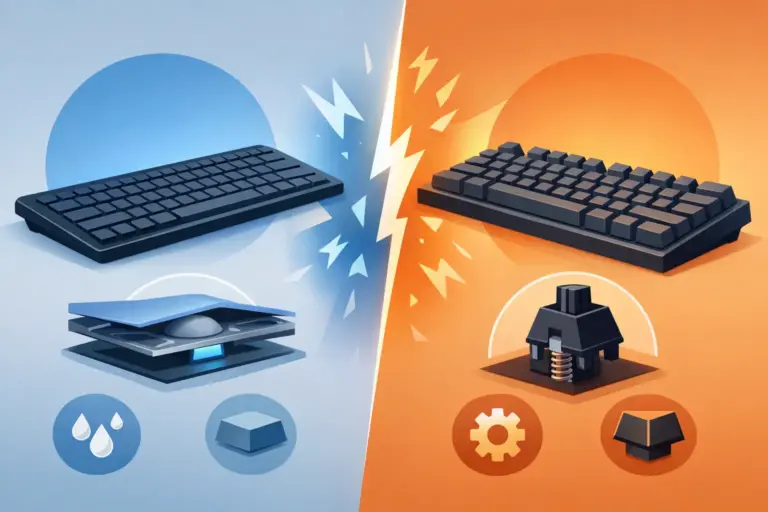

Best Mechanical Keyboards for Office Use
That mushy keyboard you tolerate for eight hours a day is probably costing you more than you think. Slower typing, more finger fatigue, more annoying mistakes, and one more part of your setup that feels cheap. The good news is that mechanical keyboards for office use are no longer niche gear for enthusiasts only. They now hit a sweet spot for work, study, and home setups where better feel, stronger build quality, and smarter features are actually affordable.
Why mechanical keyboards for office setups make sense
A lot of buyers still assume mechanical means loud, flashy, and made only for gaming. That used to be closer to the truth. Now there are plenty of office-friendly options with quieter switches, compact layouts, clean designs, and wireless support that fit naturally on a desk next to a monitor, laptop stand, or webcam.
The biggest upgrade is typing feel. Mechanical switches give each keypress a more defined response, which makes long writing sessions, spreadsheets, coding, and daily messaging feel faster and less tiring. You do not need to be a speed typist to notice the difference. If you spend hours answering emails or moving through documents, a better keyboard becomes one of those upgrades you feel every day.
Durability is another big reason people switch. Membrane keyboards are often treated like disposable accessories. Mechanical boards usually offer stronger construction, better keycap stability, and a longer lifespan. If you want value instead of replacing a low-end keyboard every year or two, that matters.
The catch: office keyboards need balance
Not every mechanical board belongs in an office. This is where buyers either get a great upgrade or end up with a keyboard that looks cool online but feels wrong at work.
The first trade-off is sound. Some switches are crisp and satisfying at home, but in a shared office they can turn into background noise that everyone notices. If you work near other people, or take calls all day, quieter linear or soft tactile switches usually make more sense than loud clicky ones.
The second trade-off is layout. Full-size keyboards are familiar and practical, especially if you use number entry a lot. But they take up more desk space. A tenkeyless board frees room for mouse movement and can make a setup feel cleaner, while compact 75% layouts keep most keys without the bulk. The right choice depends on how you work, not what looks best in a product photo.
Then there is style. RGB lighting and gamer design language are not dealbreakers, but they are not always ideal for office buyers who want a cleaner desk. The good news is that many boards now let you dial lighting down, switch it off completely, or choose a simple white backlight.
What to look for in the best mechanical keyboards for office use
If you want a keyboard that improves your setup instead of creating new annoyances, focus on a few practical details first.
Quiet or office-friendly switches
Switch type changes everything. Linear switches feel smooth and usually stay quieter, especially with decent case design and keycaps. Tactile switches add a bump that many people like for typing because it gives better feedback without necessarily getting very loud. Clicky switches have the most obvious sound and are usually the hardest sell for shared workspaces.
If you work from home alone, you have more freedom. If you work in a dorm, shared office, or on constant video calls, quieter is the safer buy.
Layout that matches your workflow
A full-size board is still the practical pick for accountants, data entry users, and anyone who relies on the numpad. A tenkeyless layout works well for general office use and keeps the desk less crowded. Compact layouts can be great for portability or small desks, but they sometimes move function keys or navigation controls into secondary layers. That is fine for some users and frustrating for others.
Wired vs wireless
Wired keyboards are simple. Plug in, type, done. They are often cheaper too. Wireless models cut cable clutter and make a desk look cleaner, which matters if your setup doubles as a meeting space or study station. Some buyers also move between a desktop, laptop, and tablet, where Bluetooth or multi-device support becomes a real advantage.
The trade-off is battery management and sometimes a slightly higher price. If convenience matters more than saving every dollar, wireless can be worth it.
Build quality and comfort
Office use is daily use, so comfort counts. Look for adjustable feet, stable keycaps, and a frame that does not feel hollow or flimsy. A wrist rest can help if your typing angle is steep or if you spend long hours at the desk, but a good keyboard height matters too. Lower-profile designs are often easier for all-day use, though traditional mechanical boards still win on key feel for many people.
Which office buyer are you?
This is where shopping gets easier. The best keyboard depends less on hype and more on your day-to-day habits.
If you write all day, prioritize switch feel, key stability, and layout comfort. A solid tenkeyless or full-size board with soft tactile switches often hits the mark. You want something that stays comfortable through emails, reports, and long document edits.
If you live in spreadsheets, do not rush to ditch the numpad. Compact boards look neat, but a full-size keyboard can save time every single day when numbers are central to your work.
If you split time between work and gaming, you do not need separate gear unless you want it. A mechanical keyboard with clean styling, quiet switches, and optional lighting can handle both. That is one reason so many shoppers now look at gaming brands for office upgrades. The performance is there, but many newer models are flexible enough to fit a work setup too.
If you are building a budget setup, focus less on premium buzzwords and more on core quality. A decent switch type, usable layout, and stable construction will matter more than fancy software or extreme lighting effects. Value wins when the keyboard feels good every day and does not need replacing anytime soon.
Price matters, but cheap can get expensive
There is a reason budget mechanical keyboards sell fast. The category is much more competitive now, and that benefits buyers. You can get solid performance without paying enthusiast-level prices.
Still, there is a difference between affordable and too cheap. Some low-cost boards cut corners with rattly stabilizers, inconsistent switches, poor legends, or thin cases that amplify noise. They may look like a deal until you spend weeks annoyed by the sound and feel.
A smarter buy is a keyboard from a known peripheral brand or a well-reviewed office-friendly line that gives you the basics done right. For most office users, the winning formula is simple: quieter switch option, practical layout, reliable connection, and a clean design that fits the desk.
That is where a specialized retailer can save time. Instead of sorting through random listings, you can compare options from familiar brands, watch for discounts, and match your setup without overspending. At Elcomputer Store, that kind of focused shopping is exactly the point – performance gear, practical accessories, and price-driven deals that make the upgrade easier to justify.
Small details that improve the office experience
A keyboard does not work alone. If you want your desk to feel better, think about the rest of the setup too.
Desk space matters more than people expect. If your keyboard is too large, your mouse position can become awkward, especially on smaller desks. A compact or tenkeyless board can improve posture just by creating better balance between your hands.
Noise control also comes from the environment. Desk mats can soften sound a bit and make the keyboard feel less harsh on harder surfaces. Wrist rests can help some users, especially during longer sessions, though they are more about resting between typing than typing directly on them.
Backlighting deserves a practical look too. In an office, it is less about visual flair and more about visibility in dim rooms or late-night work sessions. Adjustable brightness is more useful than flashy effects.
So, should you switch?
If you spend hours typing, a mechanical keyboard is not a luxury item pretending to be productivity. It is one of the few desk upgrades that can improve comfort, speed, and daily satisfaction all at once. The trick is buying for your actual work style, not for specs that only look impressive on a sales page.
Go quieter if you share space. Keep the numpad if numbers are part of your job. Choose wireless if cleaner desk flow matters. Stay focused on feel, comfort, and value, and you will end up with a keyboard that earns its place fast. The best office setup is not about chasing trends – it is about making every workday feel a little better when your hands hit the keys.