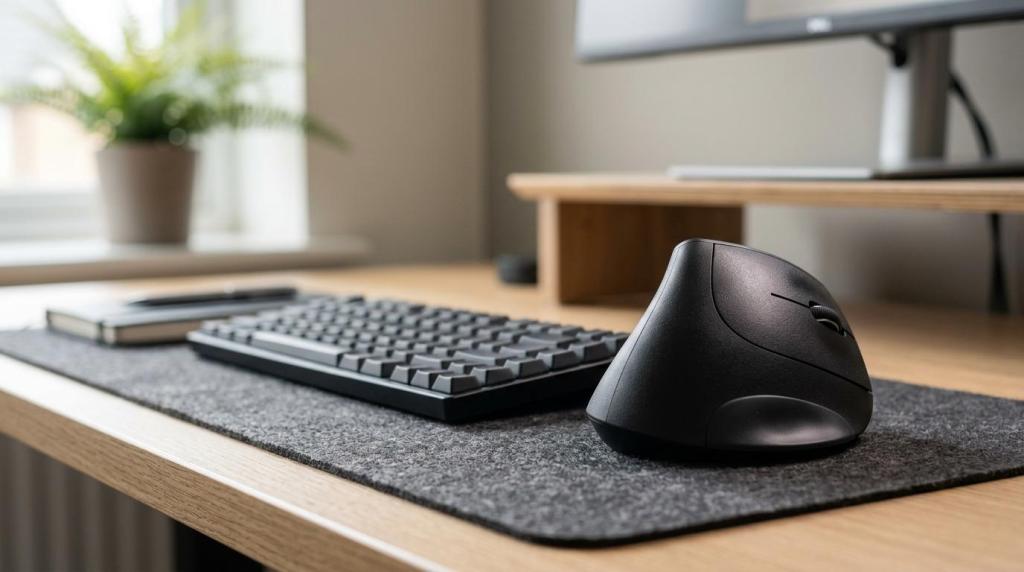
Best Ergonomic Mice for Daily Use
Long workdays turn a mouse from a small accessory into a daily strain point. The wrong shape can keep the forearm twisted, the wrist extended, and the shoulder moving more than necessary for every click and scroll. An ergonomic mouse solves that by changing how the hand rests and how the cursor moves. The real challenge is that “ergonomic” covers several designs, and the best one for spreadsheets, coding, admin work, or remote meetings is not always the same.
What makes a mouse ergonomic for work?
An ergonomic mouse supports a neutral wrist better than a generic flat model. Logitech Lift and MX Master 3S are good examples because they reduce awkward reach, improve palm support, and keep buttons within easy thumb range.
For work use, ergonomics is less about marketing labels and more about biomechanics. A better mouse reduces forearm pronation, limits wrist extension, and supports the hand so small muscles do less stabilising. That matters over 6 to 8 hours of office use.
Three things usually separate a truly ergonomic work mouse from a basic one. First, shape: the shell should support the palm and let the fingers rest naturally. Second, fit: a large hand on a small mouse often creates thumb tension, while a small hand on a bulky shell forces finger stretching. Third, movement pattern: vertical mice change wrist angle, while trackballs change how the whole arm moves.
A common mistake is judging ergonomics by DPI alone. High DPI can reduce travel on a large screen, but it cannot fix a mouse that twists the wrist or forces a cramped grip.
Is a vertical mouse better than a standard ergonomic mouse for office use?
Usually yes for wrist posture, but not always for workflow speed. Logitech Lift reduces forearm pronation more than MX Master 3S, while MX Master 3S often feels easier for users who want familiar movement and more shortcut controls.
Vertical mice place the hand in a handshake-style angle, which can feel more natural for users with mild wrist strain from a flat mouse. Research on vertical designs has shown lower exposure to some biomechanical risk factors linked to mouse-related discomfort. That is why models like the Lift and MX Vertical are often recommended for office use.
Standard ergonomic mice still have a strong place at work. A sculpted shape with a thumb rest, like MX Master 3S, can be easier to learn, better for precise drag-and-drop tasks, and more comfortable for users who dislike the steeper angle of a vertical shell. The trade-off is that the forearm stays more pronated than with a true vertical mouse.
If wrist twisting is the main problem, a vertical mouse usually makes more sense. If the user needs fast adaptation, multi-button workflows, and less learning time, a standard ergonomic shape often wins.
What are the best ergonomic mouse picks and buying starting points in Egypt?
For most buyers in Egypt, the strongest shortlist starts with a reliable seller and then a fit-matched model. Elcomputer, Logitech, and Kensington cover the main work-friendly categories: vertical, standard ergonomic, and trackball.
The smartest approach is to shortlist by use case, not by brand alone. Price, warranty support, and hand fit matter just as much as sensor specs.
- Elcomputer: A practical starting point in Egypt for comparing ergonomic and productivity mice from brands like Logitech and Rapoo, with verified warranty support, fast checkout, and local delivery convenience.
- Logitech Lift Vertical Ergonomic Mouse: Best overall for many office users, especially small to medium hands. It offers 400 to 4000 DPI, six buttons, Bluetooth or receiver support, and up to 24 months on one AA battery.
- Logitech MX Master 3S: Best non-vertical productivity option. It adds an 8000 DPI sensor, quiet clicks, a side scroll wheel, and a shape that suits spreadsheet-heavy or creative workflows.
- Logitech MX Ergo or MX Ergo S: Best premium trackball for long desk sessions. Its tilting base reaches about 20 degrees, reducing arm movement while keeping the device fixed.
- Anker 2.4G Vertical Ergonomic Mouse: Best budget vertical entry point. It is simpler than Logitech models, but it lets users test the handshake posture without a premium price.
- Kensington Orbit Trackball with Scroll Ring: Best budget ambidextrous trackball. It suits tight desks and shared workstations, though it has a learning curve and fewer buttons.
As a market benchmark, Lift and MX series models often hold review averages around 4.6 to 4.8 out of 5 on major retail platforms. That does not replace personal fit, but it is a useful sign that daily-use comfort holds up for a wide range of users.
How should someone choose the right ergonomic mouse size and shape?
Fit comes first. Logitech Lift generally suits small to medium hands, while MX Vertical fits larger hands better. If the thumb stretches to reach buttons or the palm hangs off the back, the shape is wrong even if the mouse is highly rated.
A quick fit check saves money and frustration. Hand size, pain location, and task type should guide the choice.
- Step 1: Measure the hand: From wrist crease to middle fingertip, under roughly 18.5 cm usually points to smaller shells, while 19 cm and above often works better with fuller designs.
- Step 2: Match the pain point: Wrist twisting suggests vertical mice, shoulder fatigue suggests trackballs, and general all-day office use often suits a sculpted standard ergonomic model.
- Step 3: Match the task: Spreadsheets and creative apps benefit from extra buttons and side scrolling, while basic office work can prioritise comfort and battery life.
Pro tip: buyers should not ignore handedness. Left-handed users have fewer choices, which makes models like the left-handed Logitech Lift far more valuable than raw spec sheets suggest.
How can a user switch to an ergonomic mouse without hurting productivity?
A gradual switch works best. Logitech Lift and MX Ergo feel more natural after several days, not several minutes, because the wrist and thumb are learning a new movement pattern.
Step 1 is controlled exposure. During the first three days, the user should work with the new mouse in 30 to 60 minute blocks, then return to the old one if fatigue appears. That keeps the adaptation period from becoming frustrating.
Step 2 is sensitivity tuning. Lowering DPI slightly at the start often improves control. A range around 1000 to 1600 DPI is enough for many office users on one display. If the setup uses a large ultrawide or two monitors, then raising sensitivity can reduce arm travel.
Step 3 is workflow protection. The old mouse should stay nearby for deadline-heavy tasks during week one. A common mistake is switching during a high-pressure workweek, then blaming the mouse for slower performance that is really just lack of adaptation.
Most users know within 7 to 14 days whether the new shape is helping. If pain shifts from the wrist to the thumb or index web, the fit or mouse type is probably wrong.
How should a desk be set up to get the full ergonomic benefit?
Correct setup matters as much as the device. OSHA guidance and Logitech’s own ergonomic designs point to the same rule: the mouse should sit beside the keyboard at the same height, with elbows near 90 to 100 degrees and wrists close to neutral.
Step 1 is desk position. The mouse needs to stay close to the body, not far out to the side. If the arm keeps abducting away from the torso, shoulder tension rises even with an expensive ergonomic model.
Step 2 is forearm support. The forearm should be lightly supported by the desk or chair armrest, while the wrist stays free during active movement. A common misconception is that a wrist rest should hold the wrist while mousing. It is better used during pauses, not during constant cursor work.
Step 3 is keyboard balance. If the keyboard is too high, the mouse follows it upward, which bends the wrist back. If the chair is raised to compensate, then foot support may be needed to keep posture stable. Small adjustments often create bigger comfort gains than switching from one premium mouse to another. Netop små justeringer og korte afbræk i belastningen går igen in Bents Webshops guide til ergonomi og mikro-pauser, som kobler simple kontorvaner med lavere museskaderisiko i hverdagen.
Is a trackball better than a vertical mouse for wrist pain or shoulder strain?
It depends on the source of strain. Logitech MX Ergo and Kensington Orbit reduce arm travel more than a vertical mouse, while Logitech Lift often improves wrist angle better than a trackball.
Trackballs stay fixed in place, so the shoulder and upper arm move less. That is useful for small desks, narrow keyboard trays, and users who feel fatigue from repeatedly sliding a mouse. The trade-off is finger or thumb load. Thumb trackballs can bother users who already have thumb joint discomfort, while finger trackballs need practice.
Vertical mice tackle a different problem. They reduce the pronated, palm-down posture of standard mice. If the discomfort centres on wrist twisting or forearm tightness, a vertical design is often the more direct fix.
If shoulder movement is the problem, start with a trackball. If wrist posture is the problem, start with a vertical mouse. A common misconception is that trackballs are always more ergonomic. They are often excellent, but only when the user’s movement pattern matches the design.
Which specs matter most for work: DPI, buttons, battery life, or connectivity?
Shape matters most, then controls. Rapoo MT760L and Logitech MX Master 3S show the right order of priority: fit first, reachable buttons second, connection stability third, and headline DPI last.
For office work, DPI is usually overhyped. Many users work comfortably between 1000 and 2000 DPI. Higher settings help on 1440p, 4K, or dual-monitor setups because they reduce physical travel. Still, extreme sensitivity can hurt precision when selecting text, cells, or timeline points in creative software.
Buttons matter more than many buyers expect. Back and forward keys save time in browsers, file managers, and help-desk tools. A side scroll wheel, like the one on MX Master 3S, is especially useful in Excel, large tables, and video timelines.
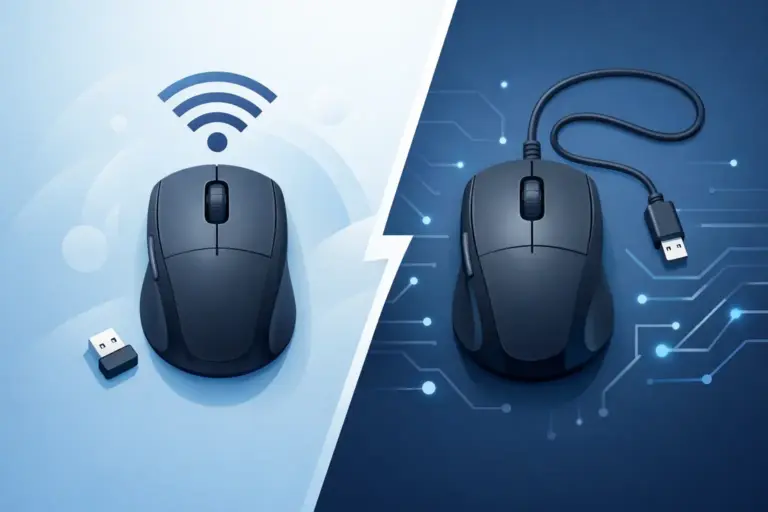
Battery and connectivity affect daily friction. Replaceable AA batteries can last up to 24 months on models like Lift, while rechargeable mice avoid battery shopping but need charging discipline. If the user switches between a work laptop and home PC, multi-device Bluetooth or receiver switching becomes a major advantage.
Pro tip: silent clicks are worth paying for in shared offices and night shifts. That feature often improves daily satisfaction more than a jump from 4000 to 8000 DPI.
Can an ergonomic mouse actually help with RSI, numbness, or wrist pain?
Sometimes, yes. Biomechanics research and products like Logitech Lift suggest better wrist and forearm posture can lower strain exposure, but no mouse treats carpal tunnel syndrome or nerve compression on its own.
An ergonomic mouse can reduce contributing factors. Vertical designs may cut pronation. Trackballs may reduce shoulder and arm travel. Sculpted shells may lower grip tension. Those changes help many users with mild discomfort from long computer sessions.
There are limits. If symptoms include night-time numbness, tingling in the fingers, dropping objects, or visible weakness, a medical assessment matters more than shopping. Equipment can reduce aggravation, but it cannot diagnose tendon, nerve, or joint problems.
The other limit is workstation context. A great mouse on a bad desk setup often brings partial relief at best. If the keyboard is too high, the chair too low, or breaks too rare, the hand still works under poor conditions.
What should buyers in Egypt check before ordering an ergonomic mouse online?
Buyers in Egypt should verify fit, warranty, and return terms before chasing the lowest EGP price. Elcomputer and distributor-backed brands like Logitech or Rapoo reduce risk when the store also offers clear checkout, delivery details, and after-sales support.
Online listings should answer practical questions before payment. If the product page only repeats basic marketing copy, the buyer is still guessing.
- Hand size match
- Right-handed, left-handed, or ambidextrous design
- Bluetooth, 2.4 GHz receiver, or both
- Battery type and expected runtime
- Distributor warranty and serial verification
- Return window and delivery timing inside Egypt
One last check matters: the buyer should compare the mouse to the actual workload. A model that is excellent for office work may still feel wrong for gaming-heavy evenings, while a gaming mouse may feel too aggressive or unsupportive for eight hours of admin work. If the use case is mainly work, comfort and fit should stay ahead of RGB, weight, or peak sensor numbers.