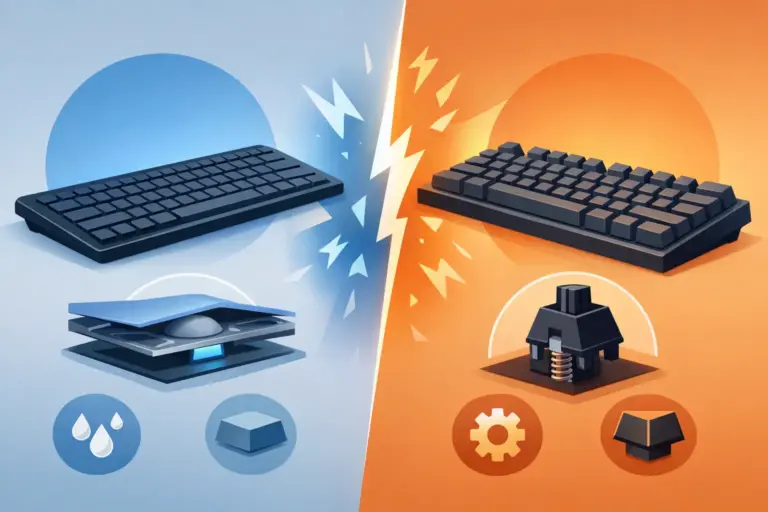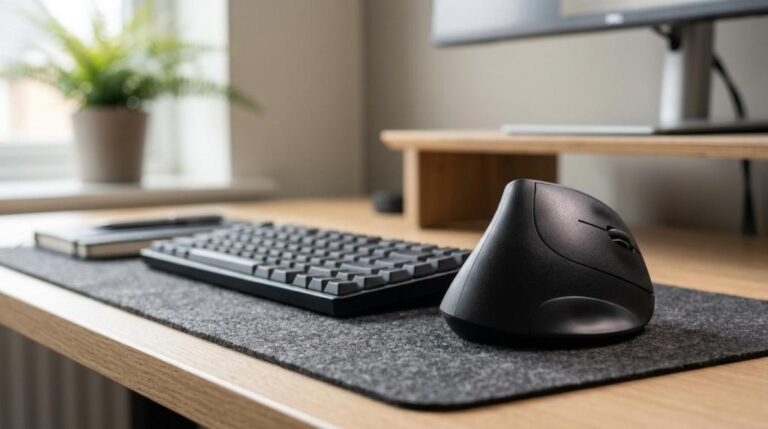

Best Mechanical Keyboards for Mac
Mac users usually figure it out the hard way: not every keyboard that looks great on a product page feels great on macOS. The problem with shopping for mechanical keyboards for Mac is not finding options – it is sorting through Windows-first layouts, awkward key legends, flaky Bluetooth, and features you may never use. If you want a keyboard that feels fast, looks clean, and works right away with your MacBook, iMac, or Mac mini, the details matter.
A good mechanical keyboard can make everyday work feel sharper. Typing is more precise, key travel feels deliberate, and the overall setup looks more serious. For gamers, creators, students, and work-from-home users, that upgrade is noticeable on day one. But Mac buyers need to shop a little differently than the average keyboard customer.
What makes mechanical keyboards for Mac different?
The biggest difference is layout support. A keyboard can physically connect to a Mac and still feel wrong. If the bottom row is labeled only for Windows, if function keys do not match macOS shortcuts, or if software support is weak, the experience gets annoying fast.
The best mechanical keyboards for Mac usually solve this in one of three ways. They ship with a Mac layout out of the box, they include extra keycaps for Command and Option, or they let you remap keys easily through onboard settings or software. That flexibility matters more than flashy RGB if you are using the keyboard every day.
Connection type also matters. Wired keyboards are simple, stable, and usually better for competitive gaming or zero-lag input. Wireless models are cleaner on a desk and better for mixed-use setups, especially if you switch between a Mac, tablet, and phone. Bluetooth can be great, but quality varies. Some boards reconnect instantly. Others make you wait just long enough to get irritated.
How to choose the right mechanical keyboard for Mac
The switch type should be your first filter. If you type a lot and want a smooth, quieter feel, linear or tactile switches are usually the smart buy. Clicky switches can be fun, but they are not always ideal for shared spaces, classrooms, or office calls. A loud keyboard sounds cool for about a week. Then the noise starts making enemies.
Size is the next decision. Full-size keyboards give you a number pad and a familiar layout, which is useful for spreadsheets, accounting, and general productivity. Tenkeyless boards save desk space and still feel complete for gaming and typing. Compact 75%, 65%, and 60% boards are great if you want a cleaner setup or more mouse room, but they often require function layers for navigation keys, media controls, or Delete. That trade-off is fine for some users and frustrating for others.
Build quality should not be ignored just because the specs look good. Aluminum frames feel more premium and stable, while plastic models can still be excellent if the structure is tight and the price is right. Hot-swappable sockets are a strong bonus because they let you change switches later without soldering. If you are not sure what switch feel you want, hot-swap can save you from buying a second keyboard too soon.
Battery life is another area where marketing can get messy. Wireless keyboards often advertise huge numbers, but that figure may only apply with backlighting off. If RGB matters to you, expect shorter battery life. If long battery life matters more, white backlighting or no lighting at all usually gives better results.
Mac layout, keycaps, and software support
This is where smart buyers separate good deals from regret purchases. A Mac-friendly mechanical keyboard should either have native macOS support or make adaptation easy. That means correct modifier placement, Mac keycaps in the box, and function row support for brightness, media, Mission Control, or volume.
Software matters too, but not everyone needs a deep customization suite. If you just want the keyboard to work, simple onboard shortcuts may be enough. If you are building a more advanced setup with macros, layers, RGB profiles, or app-specific mappings, check whether the software runs properly on macOS. Some brands advertise customization but offer a much better experience on Windows.
Keycap profile can also affect comfort more than people expect. Low-profile mechanical boards feel closer to laptop typing and are easier to adjust to if you are moving from a MacBook keyboard. Standard-height keycaps offer a more traditional mechanical feel with deeper travel and stronger feedback. Neither is automatically better. It depends on whether you want familiarity or a bigger change.
Best use cases for mechanical keyboards for Mac
If your main focus is productivity, look for a keyboard with tactile switches, a 75% or full-size layout, reliable wireless, and clear Mac legends. That setup balances comfort and function without making your desk feel crowded. Students and office users usually do best with quieter switches and simple connectivity.
If gaming is part of the plan, wired or low-latency 2.4GHz support becomes more important. A lot of Mac users still game casually or use cloud gaming, and input consistency matters. In that case, faster switches, stable polling, and a compact layout can make more sense than maximum portability.
For creators, editors, and multitaskers, multi-device pairing is a major win. Being able to jump between a Mac desktop, iPad, and phone from one keyboard is genuinely useful. Just make sure the board does not sacrifice key feel or build quality to get there.
Price versus value: what is actually worth paying for?
You do not need to overspend to get a strong keyboard. The sweet spot for value usually sits in the mid-range, where you can get solid switches, decent wireless options, hot-swap support, and Mac compatibility without paying luxury pricing. Entry-level models can still be a smart buy, especially during category sales, but you may give up software polish, case quality, or switch consistency.
At the higher end, you are usually paying for better materials, smoother stabilizers, premium switches, better acoustics, and stronger brand refinement. Those upgrades are real, but they matter most if you already know what you like. If this is your first mechanical keyboard, getting the right layout and connection type is more important than chasing boutique-level sound.
That is where a focused hardware retailer has an advantage. A broad electronics marketplace will throw hundreds of keyboards at you. A specialized shop makes comparison easier because you can actually filter for the features that affect your setup, your budget, and how fast you want to get typing.
Common mistakes Mac buyers make
One of the most common mistakes is buying based on looks alone. Minimal design is great, but a clean keyboard with poor Mac support gets old fast. Another mistake is choosing an ultra-compact layout without realizing how often you use arrow keys, function shortcuts, or a number pad.
People also underestimate noise. Mechanical does not have to mean loud. If you work around other people, stream, study late, or take calls, quieter switches and better dampening are worth prioritizing. Your keyboard should feel satisfying, not disruptive.
The last mistake is ignoring long-term flexibility. A keyboard with replaceable switches, removable keycaps, and broad connectivity gives you more room to adjust later. That is a better value than buying something cheap twice.
Shopping mechanical keyboards for Mac with confidence
The right Mac keyboard should feel easy from the first hour. The keys should make sense, the connection should stay stable, and the layout should match how you actually use your computer. Good specs matter, but real value comes from getting the balance right between typing feel, compatibility, size, and price.
If you are comparing mechanical keyboards for Mac, do not get distracted by hype alone. Start with your use case, lock in the layout you need, choose the switch feel that fits your environment, and only then compare extras like RGB, battery life, and hot-swap support. That is how you avoid paying more for features you will never touch.
A better keyboard does more than upgrade your desk – it makes your Mac setup feel faster, cleaner, and more dialed in every time you sit down to work or play. Shop for the fit, not just the flash, and the difference is immediate.