10 Best Gaming Mouse Pads for Competitive Play
A fast gaming mouse can still feel slow, shaky, or inconsistent on the wrong surface. The best gaming mouse pads give your sensor a clean tracking area, help every swipe feel predictable, and make your desk setup look more dialed in without blowing your upgrade budget.
A mouse pad is not just a piece of fabric under your mouse. Its surface texture affects glide and stopping power. Its size affects how freely you can aim. Its base determines whether it stays put when the match gets intense. Whether you play ranked shooters, build worlds for hours, edit video, or work from a compact desk, there is a pad style that fits the way you move.
What Makes a Gaming Mouse Pad Worth Buying?
The right choice starts with how you use your mouse. Fast, low-sensitivity FPS players usually need a large pad with a smooth surface and plenty of room for broad arm movements. Players who prefer tactical shooters may want more control, so they can stop precisely on a target instead of sliding past it.
Cloth pads are the everyday favorite because they are comfortable, quiet, portable, and available at every price point. They offer a balance of speed and control, although they can collect dust and need occasional cleaning. Hard pads, made from plastic, aluminum, or glass, deliver a faster glide and are easier to wipe down, but they can feel louder and may wear down mouse feet faster.
Also look beyond the top surface. A rubber or textured non-slip base keeps the pad from bunching up during quick flicks. Stitched edges can help prevent fraying, especially if you use the pad every day. Thickness matters too: thin pads sit close to the desk, while thicker options add cushioning over uneven surfaces.
10 Best Gaming Mouse Pads by Setup and Play Style
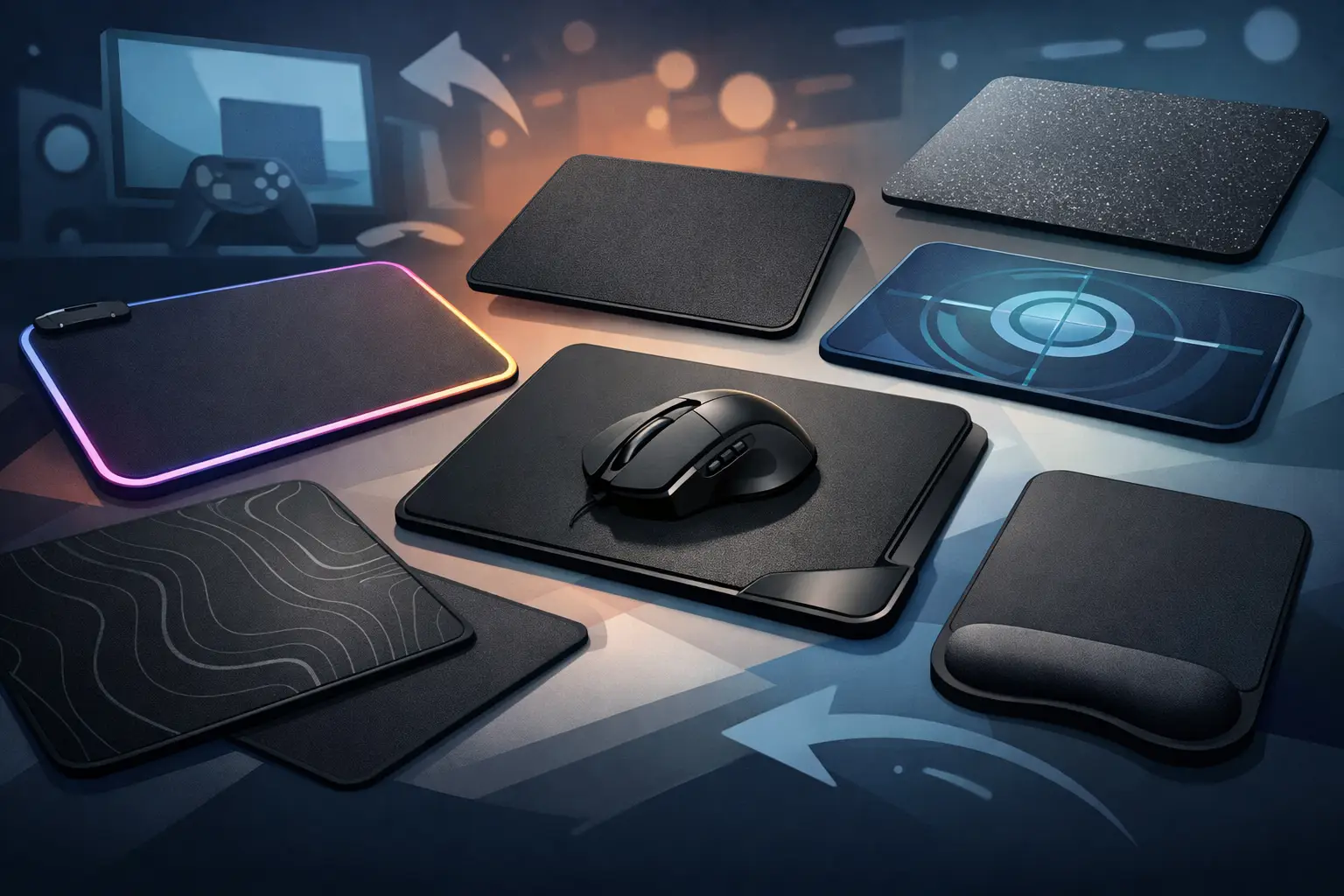
1. Large Cloth Pad for FPS Players
For most competitive players, a large cloth pad is the safest upgrade. It gives you space to lower your mouse sensitivity without running off the edge during a long tracking motion. Look for a smooth weave if you like faster aim, or a slightly textured cloth surface if you want stronger stopping power.
This is the best all-around pick for games like Valorant, Counter-Strike 2, Apex Legends, and Call of Duty. It is also a smart value choice because a quality cloth pad works with nearly any modern optical gaming mouse.
2. Extended Desk Mat for Keyboard-and-Mouse Setups
An extended mouse pad runs under both your keyboard and mouse, creating one clean, stable surface across the desk. It is ideal for gamers who want their setup to look organized, especially when matching a keyboard, mouse, and headset with the same color theme.
The trade-off is desk space. An extended mat can be too large for a narrow workstation, and it may need more frequent cleaning because it covers a wider area. If your keyboard slides while you play or type, though, this style is a practical fix.
3. Speed Pad for Fast Flicks
Speed pads use a smoother, lower-friction surface that lets the mouse glide with minimal resistance. They suit players who rely on quick flick shots, rapid turns, and lightweight gaming mice. If your current pad feels muddy or slow, a speed-focused surface can make your mouse feel more responsive immediately.
Speed is not automatically better. New players may find a very slick pad harder to control, particularly in tactical shooters where tiny corrections matter. Pair this style with a mouse that has good sensor accuracy and fresh PTFE mouse feet for the cleanest feel.
4. Control Pad for Precise Aim
Control pads have more texture and friction than speed pads. That added resistance makes it easier to stop the mouse exactly where you want it, which is why many precision-focused players prefer them for tactical FPS games, strategy titles, and detailed creative work.
Choose a control pad if you often overflick targets or struggle to make small adjustments. It will not turn bad aim into great aim overnight, but it can make your movements feel more deliberate and repeatable.
5. Hard Surface Pad for Easy Cleaning
A hard gaming mouse pad is a solid option for players who want a fast surface with almost no maintenance. Spills, dust, and snack crumbs are easy to wipe away. These pads also keep their surface feel more consistent than cloth over time when properly cared for.
The downside is comfort. Hard surfaces can feel less forgiving on the wrist, and they may produce more noise during use. They are a strong fit for clean desk setups, high-speed gaming, and users who want a surface that is ready to go after a quick wipe.
6. Glass Pad for Premium Speed
Glass mouse pads are built for ultra-smooth glide and long-term durability. They are popular with serious players who want a premium, consistent surface that does not wear down like cloth. With the right mouse skates, the glide can feel incredibly fast and effortless.
They are not for every desk or budget. Glass pads cost more, feel cold at first, and require clean mouse feet because even small particles can be noticeable. For competitive players chasing a high-end speed setup, however, they are a serious upgrade.
7. Thick Cushion Pad for Long Sessions
If you game, study, or work at your desk for hours, a thicker cloth pad can add real comfort. The extra foam helps smooth out a rough desk and reduces pressure on your wrist and forearm. This makes it a strong choice for students, home-office users, and casual gamers who want comfort without sacrificing tracking.
A thick pad may feel slightly less direct than a thin one, especially for players who press their wrist into the surface. Still, for mixed use and long sessions, the comfort benefit is hard to ignore.
8. Compact Pad for Small Desks
Not every setup needs an XL surface. Compact mouse pads are great for dorm rooms, laptop stations, shared desks, and high-sensitivity players who do not need wide arm movements. They are affordable, easy to carry, and simple to replace when it is time for a refresh.
Check your actual free desk space before buying. A compact pad that fits properly is better than an oversized option that hangs off the edge or crowds your keyboard.
9. RGB Mouse Pad for Setup Style
RGB mouse pads add an illuminated edge to your desk, giving your setup more color without changing the rest of your gear. They work best for gamers building around RGB keyboards, gaming mice, and headsets. Many include simple lighting controls, so you can keep the effect subtle or go full color mode.
Focus on the usable surface first. A bright edge looks great, but a pad that is too small or has poor tracking is not a worthwhile upgrade. The best RGB option combines stable lighting, a non-slip base, and enough room for your normal sensitivity.
10. Budget Cloth Pad for Everyday Value
A budget cloth pad is still a major improvement over using a bare desk, notebook, or worn-out office mat. For new PC gamers, students, and anyone upgrading a setup on sale, this is often the smartest place to start. You get better sensor consistency, more comfort, and a cleaner gaming area for a low cost.
Look for a reliable rubber base and a surface large enough for your play style. You do not need the most expensive pad to get a noticeable improvement in everyday gaming.
How to Choose Between Speed, Control, and Size
Before adding a pad to your cart, measure the space between your keyboard, monitor stand, and desk edge. A large surface is useful only when it fits naturally into your setup. If you play at low sensitivity, prioritize width. If you use a compact desk or mostly play with a controller, a smaller pad can keep your space cleaner.
Then think about your aim style. Pick speed if you want minimal drag and fast movement. Pick control if precise stops matter more than raw glide. A balanced cloth pad sits in the middle and is the safest option for most gamers.
Do not overlook maintenance. Cloth pads should be shaken out regularly and cleaned according to their material instructions when grime builds up. Hard and glass pads are quicker to wipe clean, but they benefit from keeping the mouse sensor area and mouse feet free of dust.
At Elcomputer Store, it makes sense to shop for a mouse pad alongside your gaming mouse, keyboard, and wrist rest. Matching the surface size and feel to the rest of your gear helps you avoid buying twice and gives your desk a more finished look.
Your best move is simple: choose the surface that supports the way you actually play, not the one with the loudest marketing. A properly sized, stable mouse pad can make every session feel cleaner, more comfortable, and more in control.